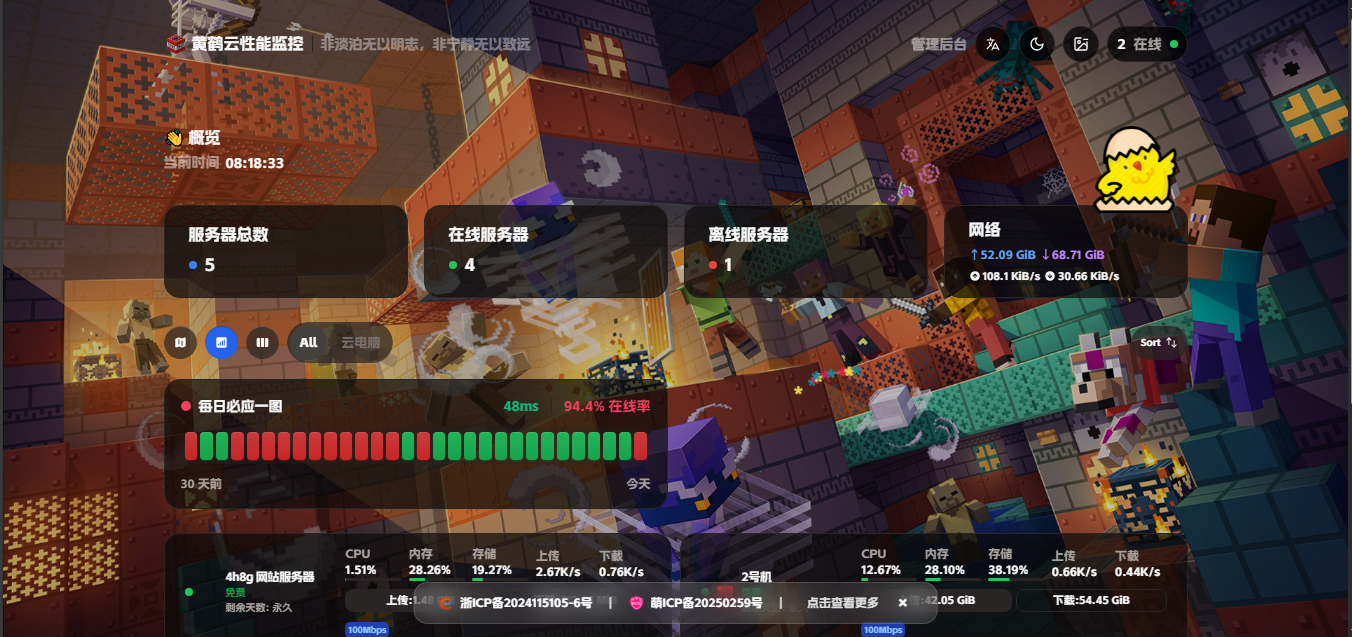
哪吒监控美化
是否还在为哪吒UI丑陋而担忧?
这篇文章教你美化
找到下面的东西
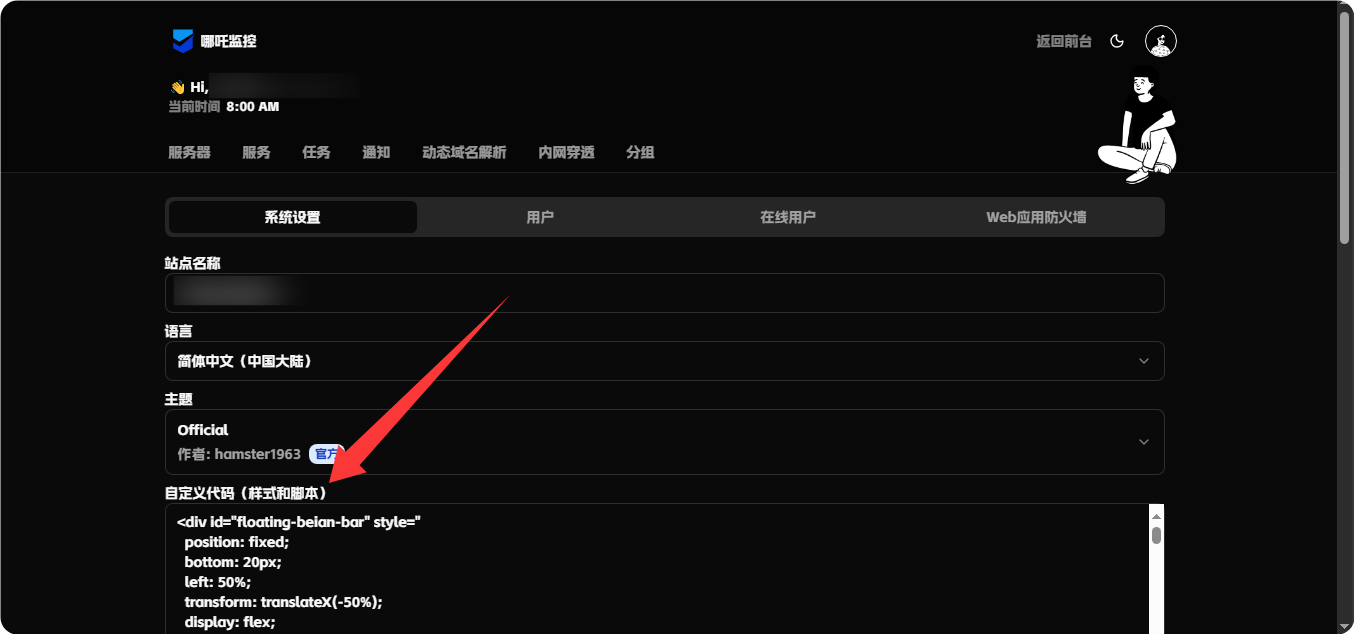
输入代码:
    <script>
        window.CustomLogo = "https://img.xyz.wxhfywy.cn/i/202510051531674.webp";  /*  自定义logo */
        window.ShowNetTransfer  = "true"; /* 卡片显示上下行流量 */
        window.DisableAnimatedMan  = "true";    /*  关掉动画人物插图 */
        window.CustomDesc ="非淡泊无以明志,非宁静无以致远"; /* 自定义描述 */
    </script>
    /* 以上鼠标特效 */
    <script>
    window.CustomBackgroundImage="https://img.xyz.wxhfywy.cn/i/202510051522497.png"; /* 背景图 */
    </script>
    <script src="https://testingcf.jsdelivr.net/gh/mocchen/cssmeihua/js/aixin.js"></script>/* 点击爱心特效 */
    <span class="js-cursor-container"></span>
    <script src="https://testingcf.jsdelivr.net/gh/mocchen/cssmeihua/js/xiaoxingxing.js"></script>

    /* 更换卡通小人 */
    <script>
    var observer = new MutationObserver(function(mutationsList, observer) {
        var xpath = "/html/body/div/div/main/div[2]/section[1]/div[4]/div";
        var container = document.evaluate(xpath, document, null, XPathResult.FIRST_ORDERED_NODE_TYPE, null).singleNodeValue;

        if (container) {
            observer.disconnect();
            var existingImg = container.querySelector("img");
            if (existingImg) {
                container.removeChild(existingImg);
            }
            var imgElement = document.createElement("img");
            imgElement.src = "https://img.xyz.wxhfywy.cn/i/202510051522800.webp";
            imgElement.style.position = "absolute";
            imgElement.style.right = "8px";
            imgElement.style.top = "-80px";
            imgElement.style.zIndex = "10";
            imgElement.style.width = "90px";
            container.appendChild(imgElement);
        }
    });
    var config = { childList: true, subtree: true };
    observer.observe(document.body, config);
    </script>
<style>
    @font-face {
        font-family: 'AlimamaShuHeiTi';
        src: url('https://fons.pages.dev/AlimamaShuHeiTi-Bold.ttf') format('truetype');
        font-weight: bold;
        font-style: normal;
    }

    body {
        font-family: 'AlimamaShuHeiTi', sans-serif;
    }
</style>
预览:
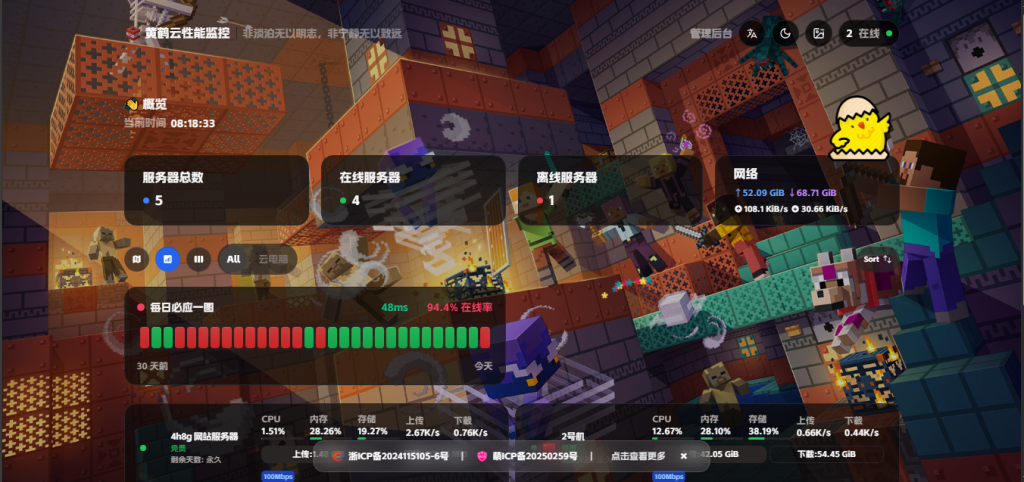
预览地址:https://hhynz.wxhfywy.cn/
备案代码拿ai生成的(需要的拿去,可以改成你想要的东西)
有bug自己拿ai改
<div id="floating-beian-bar" style="
  position: fixed;
  bottom: 20px;
  left: 50%;
  transform: translateX(-50%);
  display: flex;
  align-items: center;
  gap: 6px;
  padding: 8px 24px;
  background: rgba(255,255,255,0.1);
  backdrop-filter: blur(12px);
  border-radius: 14px;
  border: 1px solid rgba(255,255,255,0.15);
  box-shadow: 0 2px 10px rgba(0,0,0,0.08);
  font-size: 12px;
  color: #fff;
  z-index: 9999;
  max-width: 95vw;
  min-width: 400px;
  overflow: hidden;
  font-family: 'AlimamaShuHeiTi', sans-serif;
  opacity: 1;
  display: none;
">
  <style>
    @font-face {
      font-family: 'AlimamaShuHeiTi';
      src: url(''https://fons.pages.dev/AlimamaShuHeiTi-Bold.ttf'') format('truetype');
      font-weight: bold;
    }

    /* 仅在电脑端(大屏)显示 */
    @media (min-width: 768px) {
      #floating-beian-bar {
        display: flex !important;
        width: fit-content;
      }
    }

    /* 备案项样式(强制一行显示) */
    #floating-beian-bar a {
      display: flex;
      align-items: center;
      gap: 6px;
      text-decoration: none;
      color: inherit;
      white-space: nowrap;
      overflow: hidden;
      text-overflow: ellipsis;
      height: 24px;
      line-height: 24px;
    }

    #floating-beian-bar a img {
      width: 16px;
      height: 16px;
      border-radius: 4px;
      opacity: 1;
    }

    /* 分隔符样式 */
    #floating-beian-bar .separator {
      color: #ddd;
      margin: 0 6px;
    }

    /* “查看更多”按钮样式 */
    #floating-beian-bar .more-btn {
      display: flex;
      align-items: center;
      justify-content: center;
      padding: 0 8px;
      color: #ddd;
      cursor: pointer;
      border-radius: 4px;
    }
    #floating-beian-bar .more-btn:hover {
      color: #fff;
      background: rgba(255,255,255,0.1);
    }

    /* 关闭按钮样式 */
    #floating-beian-bar .close-btn {
      display: flex;
      align-items: center;
      justify-content: center;
      width: 20px;
      height: 20px;
      color: #fff;
      font-size: 16px;
      cursor: pointer;
      border-radius: 50%;
      margin-left: auto;
    }
  </style>

  <!-- 前2个备案项 -->
  <a href="链接" target="_blank" rel="noopener">
    <img src="logo" alt="名字" />
    名字
  </a>

  <span class="separator">|</span>

  <a href="链接" target="_blank" rel="noopener">
    <img src="网站logo" alt="名字" />
    名字
  </a>

  <span class="separator">|</span>

  <!-- “查看更多”按钮 -->
  <div class="more-btn" onclick="showMoreBeian()">点击查看更多</div>

  <!-- 关闭按钮 -->
  <div class="close-btn" onclick="
    document.getElementById('floating-beian-bar').style.display = 'none';
    document.getElementById('floating-beian-toggle').style.display = 'flex';
  ">×</div>
</div>

<!-- 唤回按钮(小球) -->
<div id="floating-beian-toggle" style="
  position: fixed;
  bottom: 20px;
  right: 20px;
  width: 36px;
  height: 36px;
  background: rgba(255,255,255,0.2);
  backdrop-filter: blur(10px);
  border-radius: 50%;
  display: none;
  align-items: center;
  justify-content: center;
  font-size: 16px;
  color: #fff;
  cursor: pointer;
  z-index: 9998;
  box-shadow: 0 2px 6px rgba(0,0,0,0.1);
" onclick="
  document.getElementById('floating-beian-bar').style.display = 'flex';
  this.style.display = 'none';
">📋</div>

<!-- 弹窗(隐藏) -->
<div id="more-beian-modal" style="
  position: fixed;
  top: 0;
  left: 0;
  width: 100%;
  height: 100%;
  background: rgba(0,0,0,0.5);
  display: none;
  justify-content: center;
  align-items: center;
  z-index: 10000;
  padding: 20px;
">
  <div style="
    background: rgba(255,255,255,0.9);
    backdrop-filter: blur(12px);
    border-radius: 16px;
    padding: 20px;
    max-width: 90vw;
    max-height: 80vh;
    overflow-y: auto;
    box-shadow: 0 4px 20px rgba(0,0,0,0.2);
    font-family: 'AlimamaShuHeiTi', sans-serif;
    color: #000;
    font-size: 14px;
  ">
    <div style="display: flex; justify-content: space-between; align-items: center; margin-bottom: 16px;">
      <h3>更多信息</h3>
      <div style="cursor: pointer; font-size: 20px; color: #666;" onclick="hideMoreBeian()">×</div>
    </div>
    <div style="display: flex; flex-direction: column; gap: 12px;">
      <a href="链接" target="_blank" style="
        display: flex;
        align-items: center;
        gap: 8px;
        padding: 8px 12px;
        background: #f0f0f0;
        border-radius: 8px;
        text-decoration: none;
        color: #000;
      ">
        <img src="https://icp.id.cd/static/picture/icplogoi.png" alt="名字" style="width: 20px; height: 20px; border-radius: 4px;" />
        名字
      </a>
      <a href="网站链接" target="_blank" style="
        display: flex;
        align-items: center;
        gap: 8px;
        padding: 8px 12px;
        background: #f0f0f0;
        border-radius: 8px;
        text-decoration: none;
        color: #000;
      ">
        <img src="图标" alt="名字" style="width: 20px; height: 20px; border-radius: 4px;" />
        网站名字
      </a>
    </div>
  </div>
</div>
|´・ω・)ノ